This Week in Breaker Labs: Logo-Ready Themes and a Huge News Ticker Upgrade
· Breaker Labs
Two big ones this week. One of the most-voted ideas on the Feature Requests page is here: themes with your logo built in. And the news ticker gets its biggest upgrade yet.
Logo-Ready Themes
Seven new themes come with a place for your logo. Five put it on a framed Center Island in the middle of your board. Two put it in a corner badge that rides in the ticker or footer bar, so it never covers a team.
Until you upload a logo, ours holds the spot. Upload yours and it takes over.
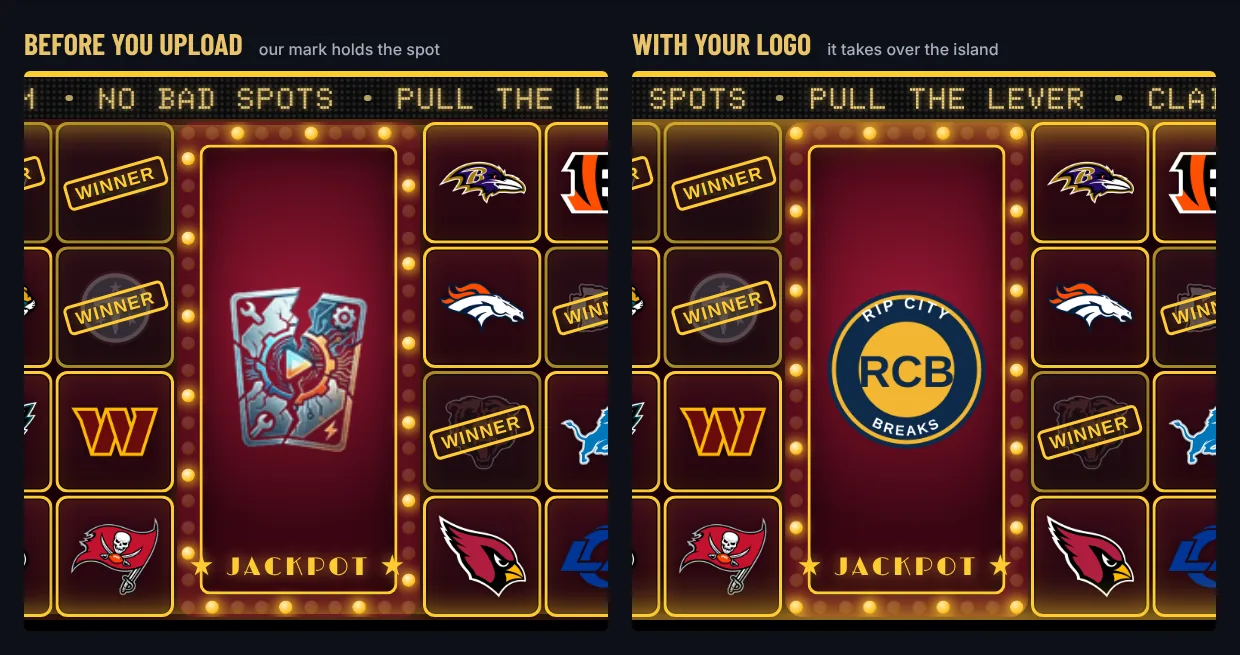
Every theme also brings its own card faces, a sold look, a takeover, a ticker style and a font.
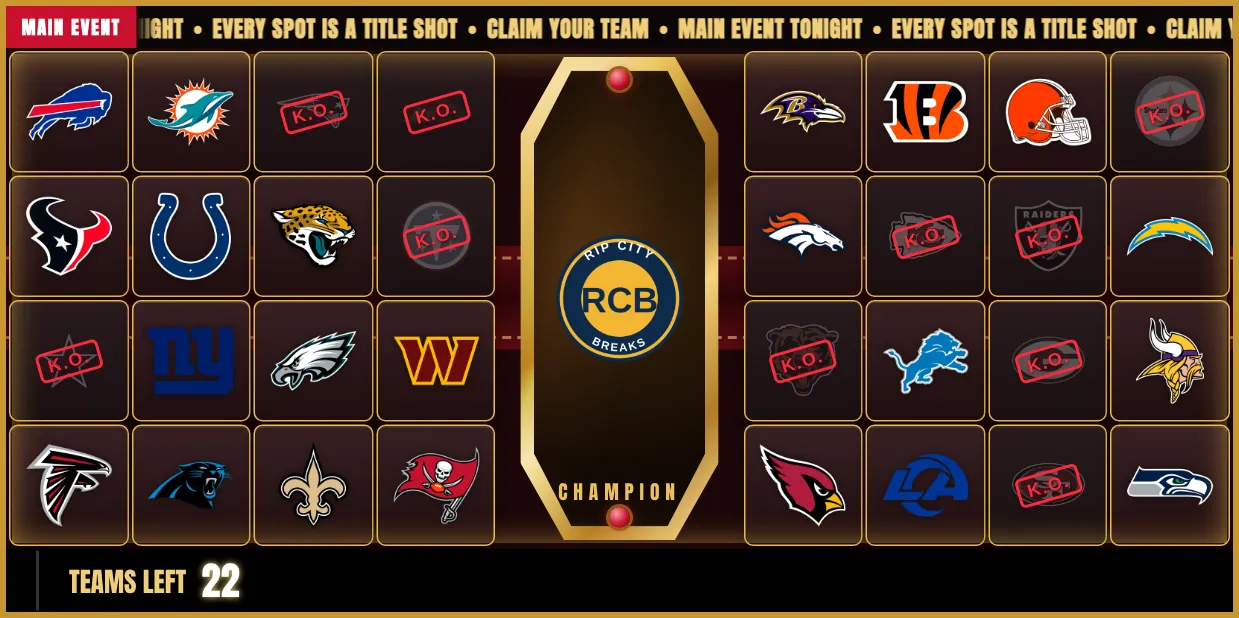
Title Belt
Fight-night poster. Your logo is the championship plate, and the strap runs through the whole board. Sold spots get a red K.O. stamp.
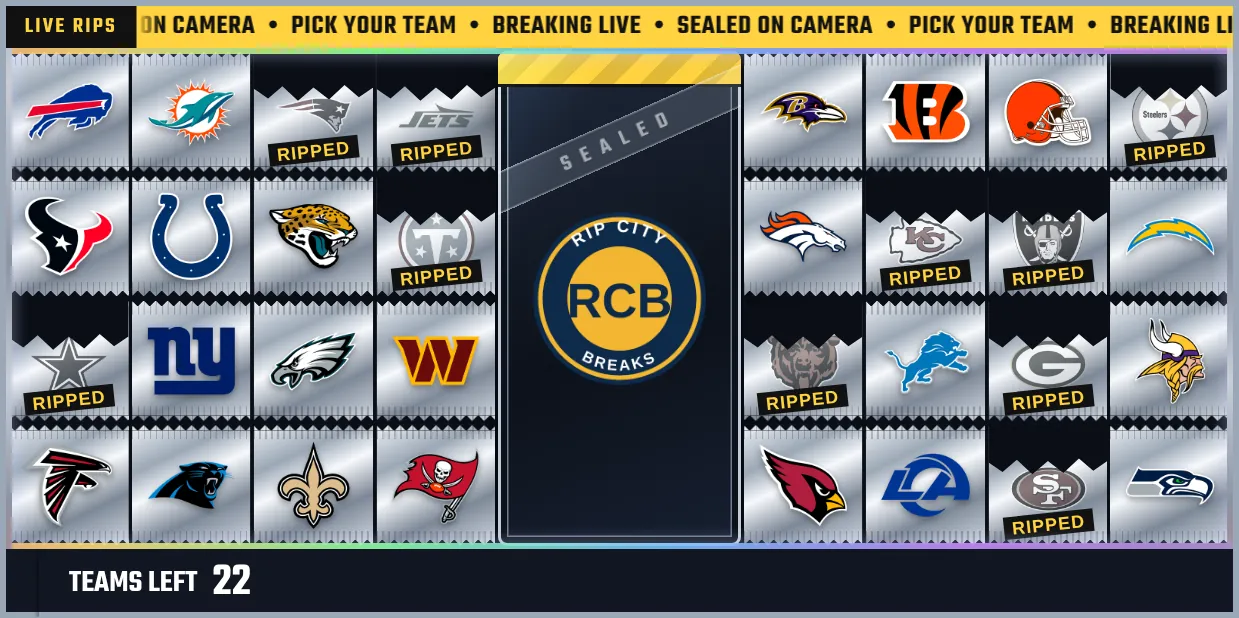
Hobby Box
Every spot is a sealed foil pack. Your logo is printed on the box lid, and sold packs get ripped open.
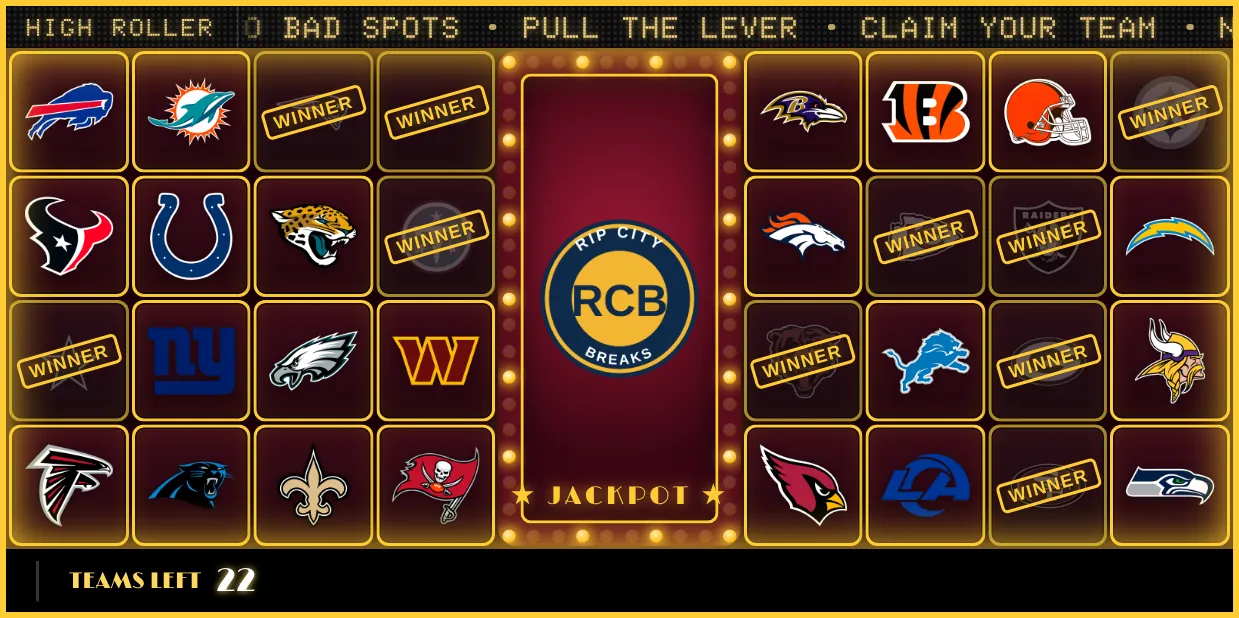
Jackpot
Vegas cabinet. Chasing bulbs frame your logo, the ticker is a gold LED sign, and every sale pays out a WINNER stamp.
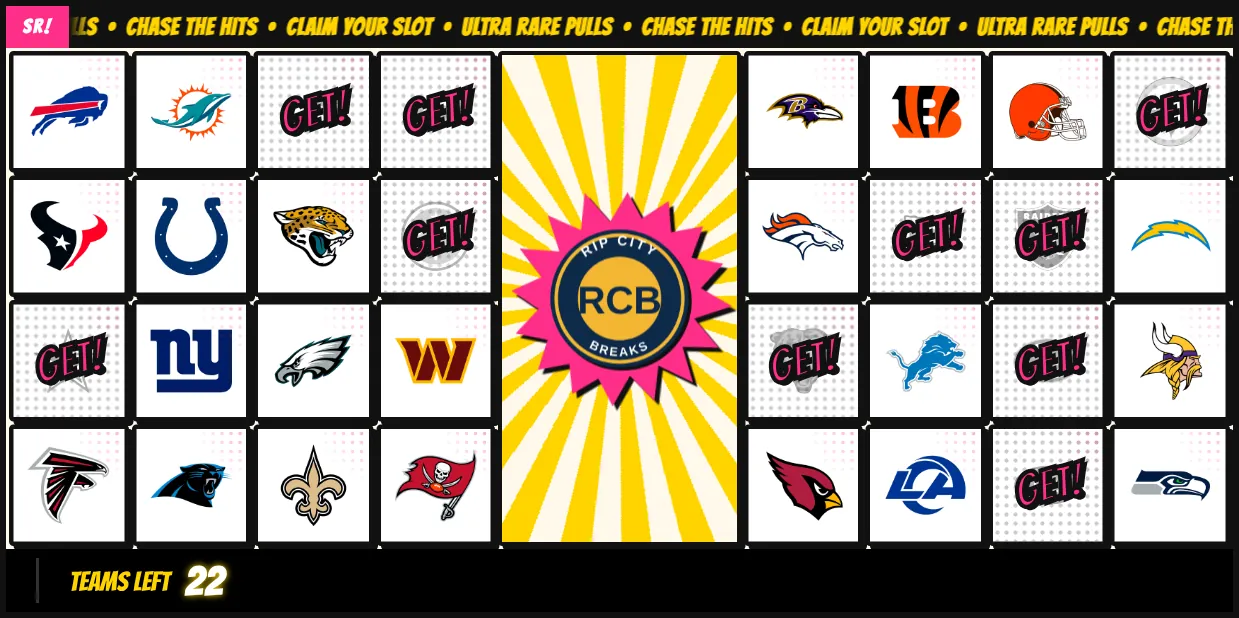
Super Rare
Manga cover on paper stock. Your logo bursts out of spinning speed lines, and sold spots get a pink GET!.
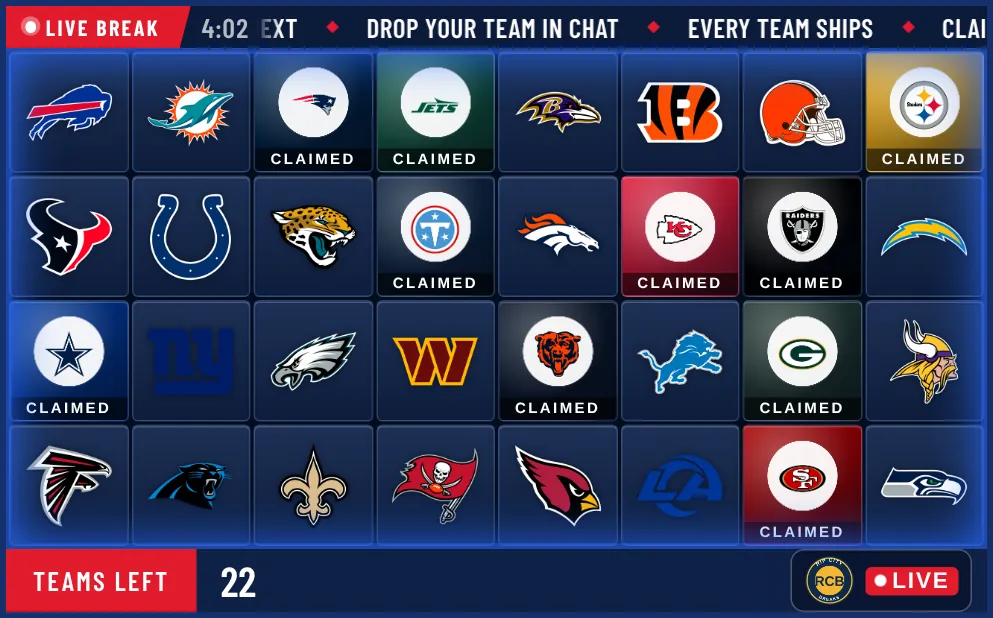
Network Feed
Sunday broadcast package. Your logo is the network bug next to a LIVE pill, sold teams flood with their own colors, and the footer is a TV lower third.
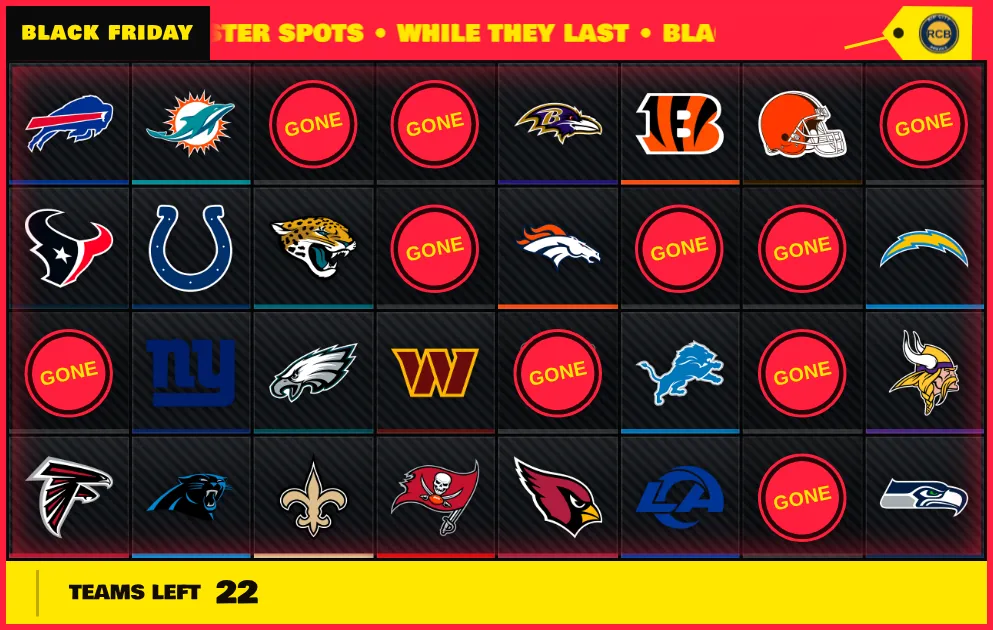
Doorbuster
Black Friday flyer. Your logo swings on a price tag pinned to the ticker, and sold spots get a red GONE sticker. In the gallery through Cyber Monday.
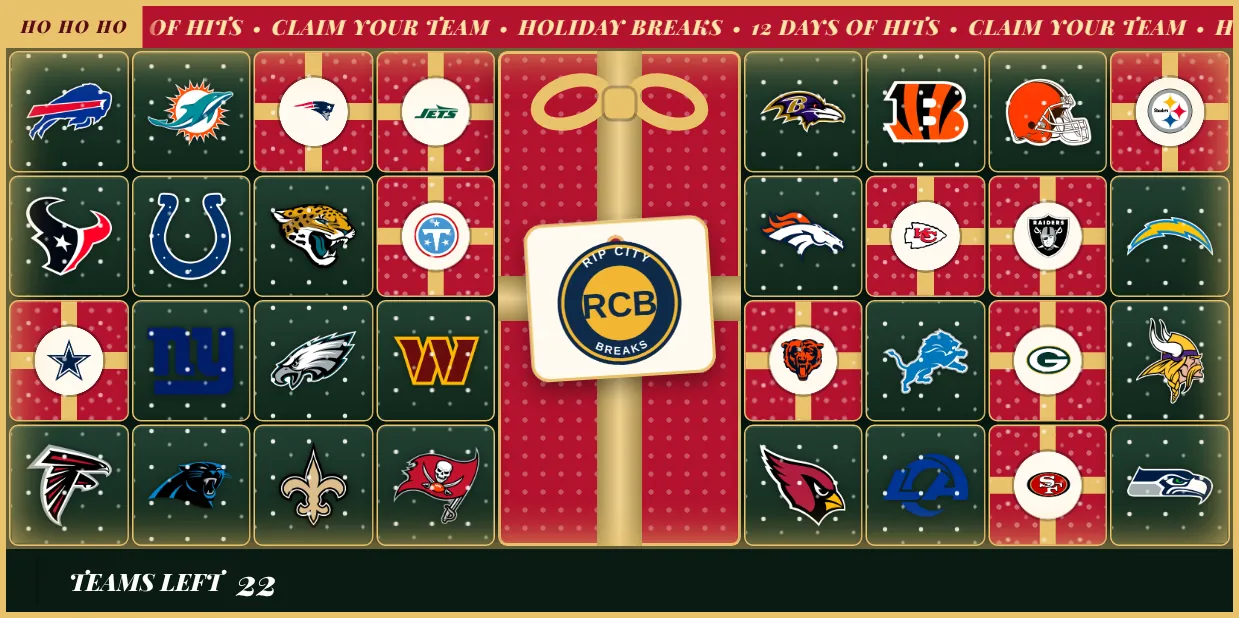
Gift Wrap
The holiday board. Your logo hangs on the gift tag, snow falls over the board, and every sold spot gets wrapped with a bow. In the gallery through December.
Try one on your board
Open a Team Tracker in the editor and select Themes at the top of the Customize panel. Select a theme to see it on your own board, then Apply to keep it.
- Center Island themes move your board onto the island. NFL and NHL boards go to 10 columns and MLB and NBA boards to 12, so the board usually gets wider. The editor tells you before you apply. Afterwards, select Add to OBS in the Command Center so OBS picks up the new size.
- Corner badge themes need a ticker or footer on that side of the board. These themes turn the ticker and footer on for you.
- Your logo goes in Branding → Logo. Upload it and it replaces our mark straight away.
- Your ticker words stay yours. If you've written ticker messages or a label tag, the theme keeps them. It only fills them in when they're empty.
Try as many as you like before you apply. Each one starts from your board as it was, so nothing carries over from the last one you looked at.
Mix your own
Every piece of these themes is also its own setting:
- Cards & Claims → Card Style has five new faces: Broadcast Glass, Foil Pack, Comic Panel, Velvet and Hairline.
- Cards & Claims → Sold Appearance has five new sold looks: Pack Open, Sale Sticker, Gift Wrap, Flood + Strip and Pop Stamp.
- Cards & Claims → Board Finish adds the Comic Halftone and Snowfall overlays and seven new footer and ticker fonts.
- Branding → Logo has the Corner Badge placement, with a Plain, Network bug or Price tag frame, and five frames for the Center Island.
The news ticker just got a huge upgrade
The ticker is the strip of your board viewers read the most. Now it has three new looks, runs your callouts without covering the board, and reports the break as it happens.
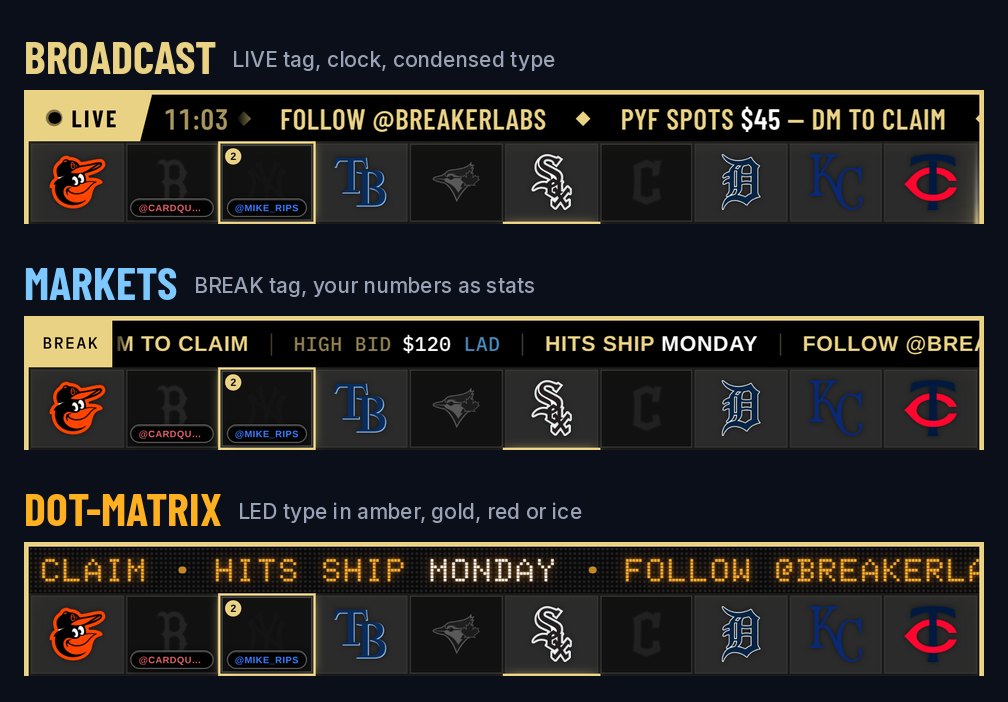
- Three new styles. Broadcast adds a LIVE tag and a clock, Markets shows your numbers like a stock ticker, and Dot-matrix lights your line in LED type.
- Callouts in the ticker. Set a Live Callout to Show on: Ticker and it runs in the band, so viewers still see every team.
- SOLD, with the buyer's name. Every sale can flash in the band once its takeover has played.
- Live break stats. Teams left, the team that just sold, the high bid and your picks, kept up to date for you.
- No reloads. Changes from the Command Center swap into the live ticker without touching the rest of the board.
The Logo-Ready themes use the new ticker too: each one comes with its own style and colors.
Everything is in the full news ticker post, and every setting is in the News Ticker guide.
Also new
- A taller Center Island on NFL and NHL boards. At 10 columns the island now runs the full height of the board, with 16 teams on each side. The board stays the same size.
- No more empty island. A Center Island that's switched on with nothing uploaded shows our mark instead of a gap.
- Theme colors for the ticker. A theme's ticker colors show up as Theme under Band color. Pick any other band to use your own.
- Ticker colors on your widget cards. The dashboard's widget cards now show your ticker's band color.
Getting started
The Logo-Ready themes and the news ticker are Pro features, included in the 7-day free trial. Your boards don't change until you apply a theme or turn something on.
Want something built next? Add it or vote for it on the Feature Requests page.