Multi-Sport Breaks: One Spot, Four Teams, Every League
— Breaker Labs
You sell one spot. The buyer gets the Cowboys, the Rangers, the Mavericks and the Stars.
That break has been running for years — off a spreadsheet, or a pinned comment, or you reading the list out loud every time someone asks what Dallas comes with. The board couldn't tell that story, because every board we had sold one team per tile.
Multi-Sport Breaks change that. One tile is one sellable spot, and every team in it goes to whoever buys it.
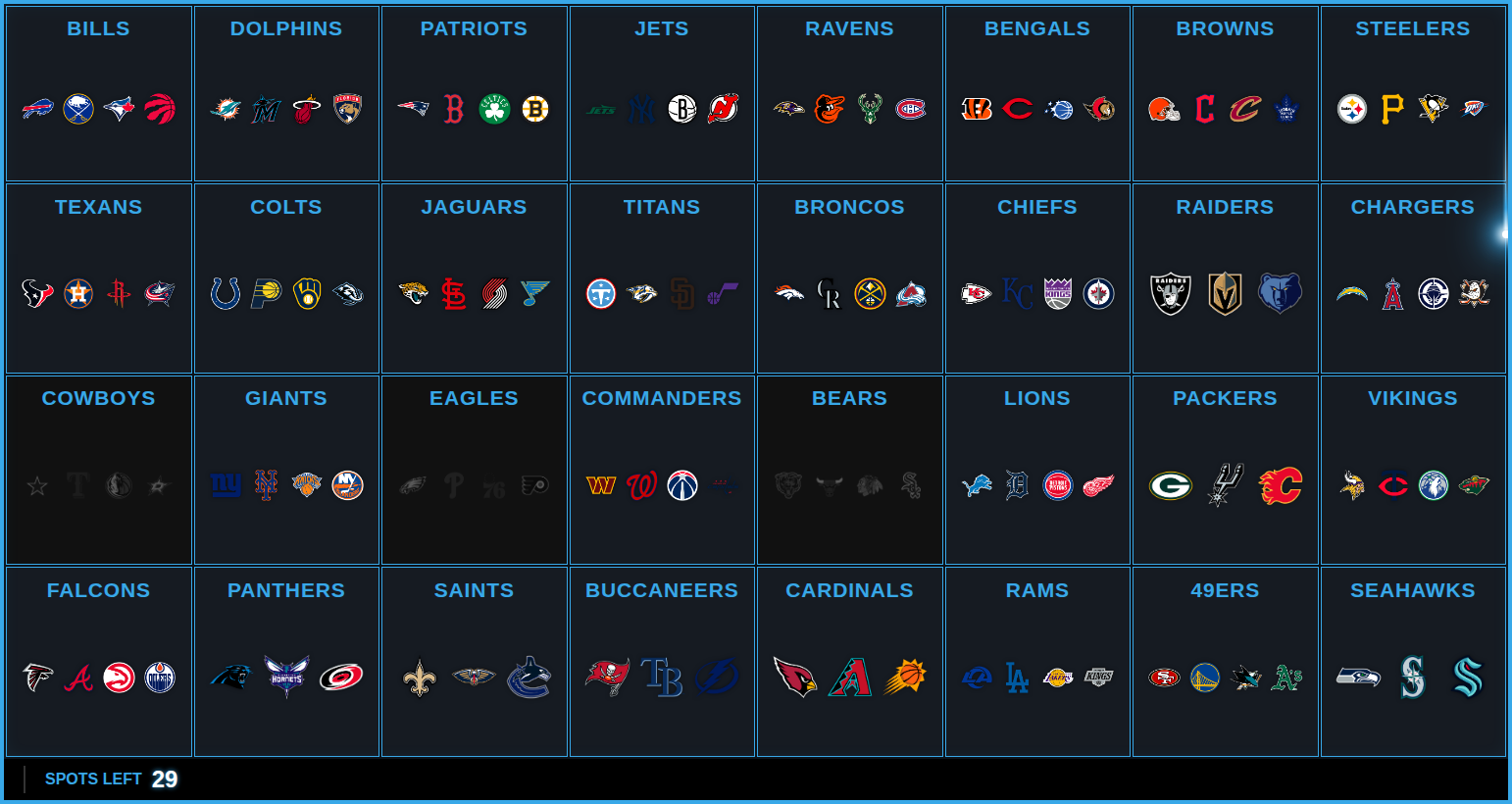
The board builds itself, mostly
Pick Multi-Sport when you create a Team Tracker, choose your anchor league, and tick which leagues ride along. The anchor decides how many spots you have — an NFL anchor is 32 spots, NHL is 32, MLB and NBA are 30 — because the anchor team is what a buyer is really purchasing.
Then we pair the cities. Denver is one city with four teams in it, so the Broncos spot arrives holding the Rockies, the Nuggets and the Avalanche without you touching anything. On an NFL board eight of the 32 spots arrive finished, and more than half of all the individual slots are already filled.
The rest is deliberately left to you, and that's the interesting part.
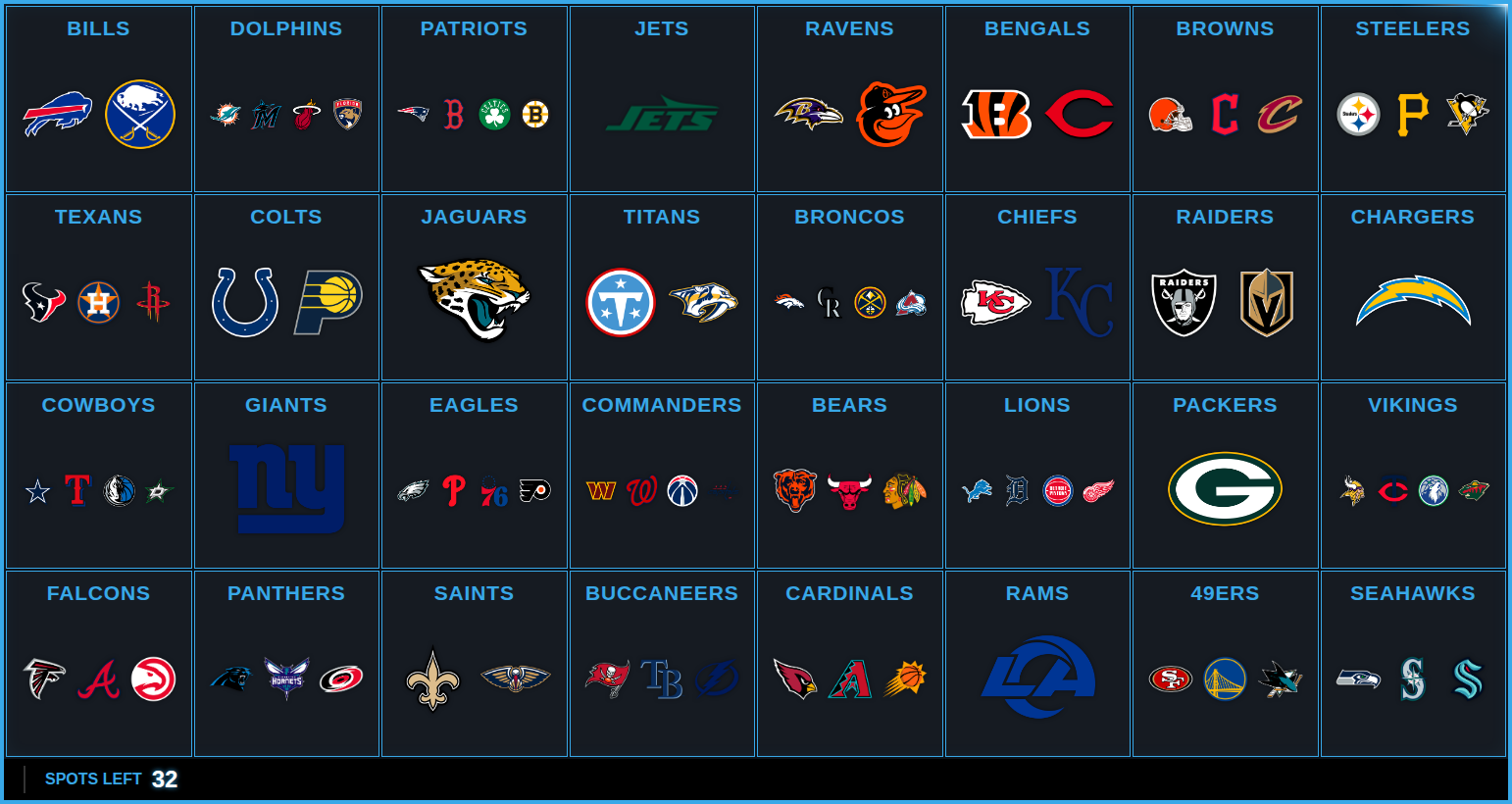
Look at the Jets. New York fields two baseball teams, two basketball teams and three hockey teams — so which ones belong on the Jets spot rather than the Giants spot is your call, not ours. Guessing it would put the Yankees on the wrong tile half the time.
And look at the Packers. Green Bay has no counterpart in any other league at all. There is no right answer to find, only one to choose.
Fill the rest
So there's a button for it.
Fill the rest finishes every spot it can in one press. It works two tiers, and it tells you which is which:
- From the market. Chicago fields the Cubs and the White Sox, so the Bears spot has a real answer even though neither one is certain — the city is right either way.
- From the leftovers. Green Bay gets a team from somewhere else, because that's what breakers actually do. A published multi-sport sheet we looked at gave the Jaguars the Padres and the Oilers, and nobody blinked.
On an NFL board that's 44 open slots down to 7, and the report says how many came from each tier so you know which spots deserve a second look. One press, one undo.
| Anchor | Open spots to fill | Filled automatically | Left for you |
|---|---|---|---|
| NFL | 44 | 37 | 7 |
| MLB | 45 | 45 | 0 |
| NBA | 46 | 44 | 2 |
| NHL | 53 | 47 | 6 |
Any of the four leagues can anchor. Here's the same idea built on hockey — 32 NHL spots, each carrying its football, baseball and basketball counterparts:
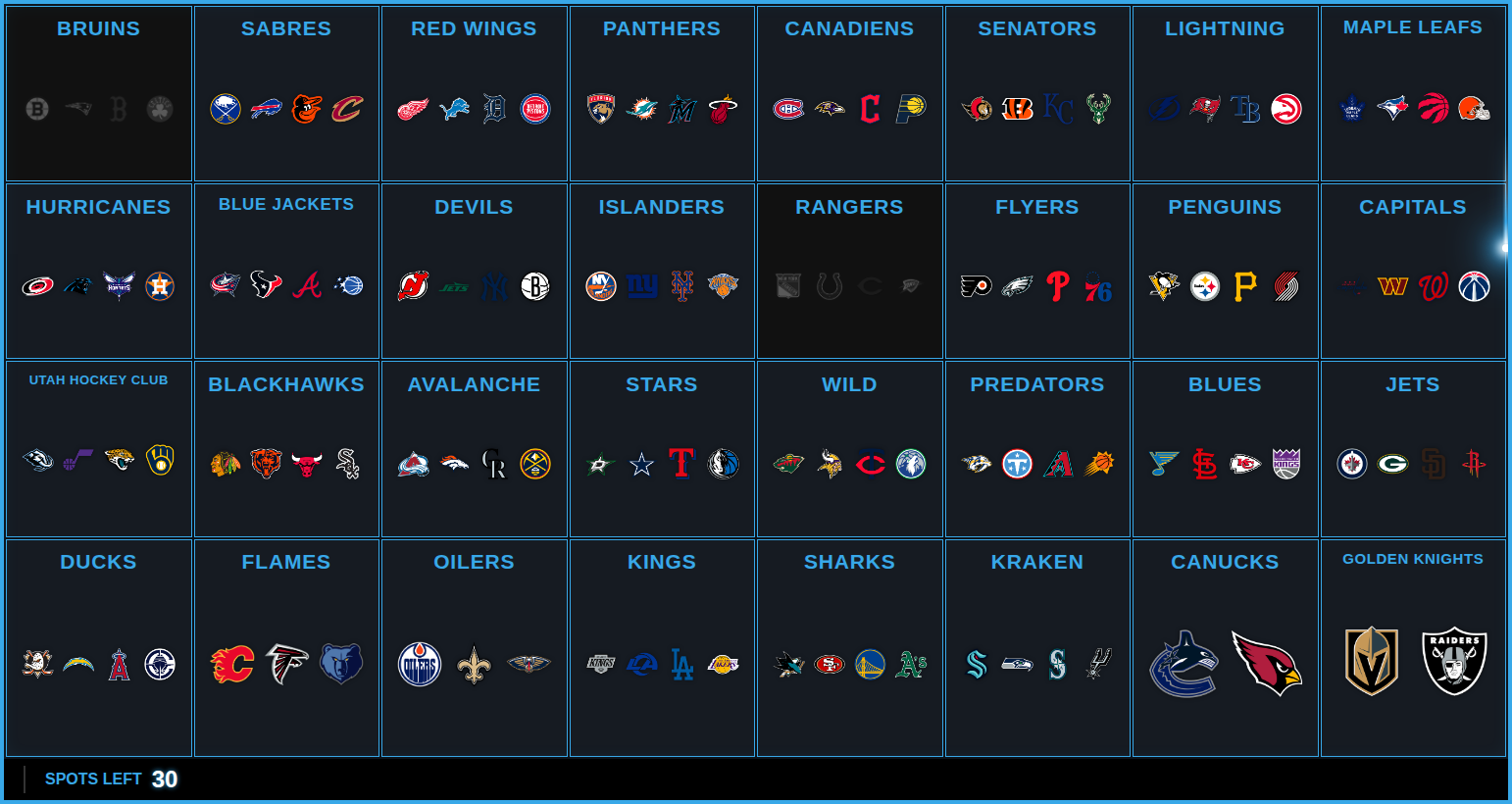
Those leftovers aren't a bug — there are only so many teams to go around. An NFL board has 30 slots with no local answer and 23 unassigned teams to put in them. The board tells you the number instead of pretending it's finished.
Anchor MLB or NBA and the arithmetic runs the other way: 30 spots, but 32 football teams and 32 hockey teams. Two of each have no spot of their own, so you put them on whichever spot you like and it carries two from that league. The builder says so rather than leaving them in the tray unexplained.
The takeover shows the whole spot
When a Multi-Sport spot sells, the takeover shows every mark on it — not the anchor, not your logo, all four. Nothing else on screen tells a viewer that the Stars came with the Cowboys, and that's exactly what the buyer just won.
Divisional breaks still show one hero with the division name, because "AL EAST" already names its five teams. "Dallas" doesn't.
Runs on everything
Multi-Sport boards work the same way in the Command Center and in OBS: click a spot, the whole thing sells, the counter says SPOTS LEFT, and the marks grey out together. The board builder works on a phone too — you can finish a board from the couch.
Multi-Sport Breaks are a Pro feature and available now. Create a Team Tracker, pick Multi-Sport, and the spots builder opens straight away.
New to the format? The step-by-step guide walks through building one end to end.