How to Build a Multi-Sport Break (Step by Step)
— Breaker Labs
A Multi-Sport board takes a few more decisions than our other boards, because you're deciding what each spot contains — not just how it looks. This guide walks through the whole thing, and explains the choices rather than just clicking through them.
You need: a Pro plan (or an active trial). Everything here happens before you go live, so you can build a board now and run it next week.
Step 1 — Pick your anchor league
Create a Team Tracker and choose Multi-Sport in the gallery. The first choice is your anchor.
The anchor is the league a buyer is really purchasing. It decides how many spots your break has:
| Anchor | Spots |
|---|---|
| NFL | 32 |
| NHL | 32 |
| MLB | 30 |
| NBA | 30 |
Pick the league your audience is actually there for. If you're breaking football product, anchor NFL — the buyer thinks of themselves as buying the Cowboys, and the other three teams are what comes with it.
Step 2 — Choose the ride-along leagues
Tick the leagues that ride along. Three ride-alongs means each spot holds up to four teams; one means up to two. You can drop any of them.
Fewer ride-alongs makes a cleaner board and a much easier build — an MLB anchor with only NBA riding along fills completely with no leftovers. Three ride-alongs is the full multi-sport break, and it's the one that needs the builder.
Step 3 — Build your spots
Hit create and the spots builder opens before the styling editor, because what a spot sells matters more than what colour it is.
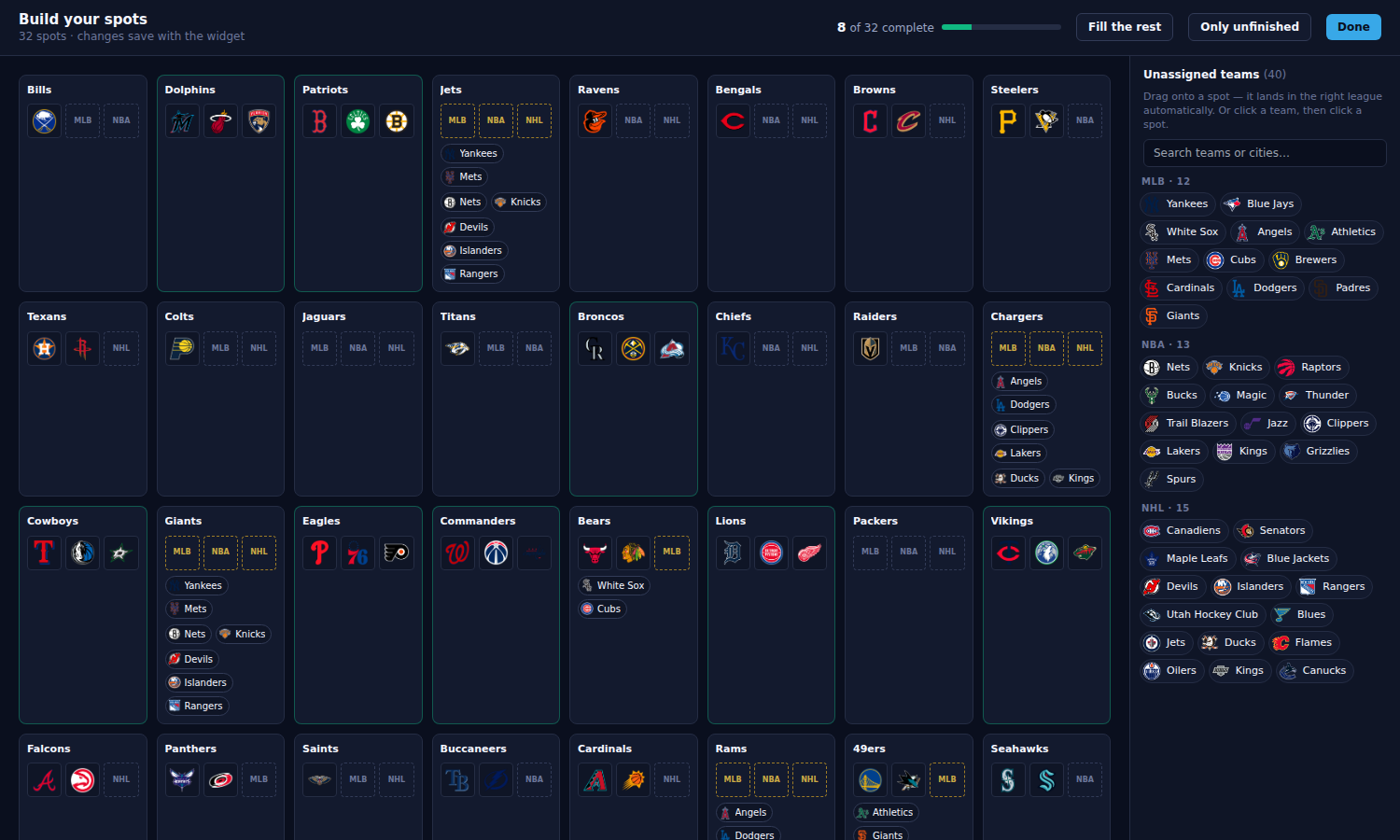
Here's what you're looking at:
- Each box is one sellable spot, in the order the board draws them. They never re-sort while you work.
- The counter at the top reads 8 of 32 complete — spots holding one team from every ride-along league.
- Dashed slots marked MLB, NBA or NHL are the gaps.
- The tray on the right holds every team not yet on a spot, grouped by league.
Eight of the 32 spots are already finished, and more than half of all the individual slots are filled. Denver, Boston and Philadelphia field exactly one team per league, so they resolved on their own.
Two ways a gap gets filled
Chips on the spot. Look at the Jets, the Giants and the Chargers — they show little team chips underneath. Those are markets with more than one answer: New York has the Yankees and the Mets, LA has the Dodgers and the Angels. The city is certain, the team is your call, so the options sit right where the decision is. One click.
The tray. The Packers spot shows no chips at all, because Green Bay has no counterpart anywhere. There's nothing to suggest, so its answer comes from the leftover teams on the right.
Click a team in the tray, then click a spot. Or drag it across — it drops into that league's empty slot automatically, so you can't put a hockey team in the baseball gap.
If the spot already has a team from that league, the new one is added rather than swapped in. Nothing you placed disappears without you clicking the × on it — which matters for the leftovers below.
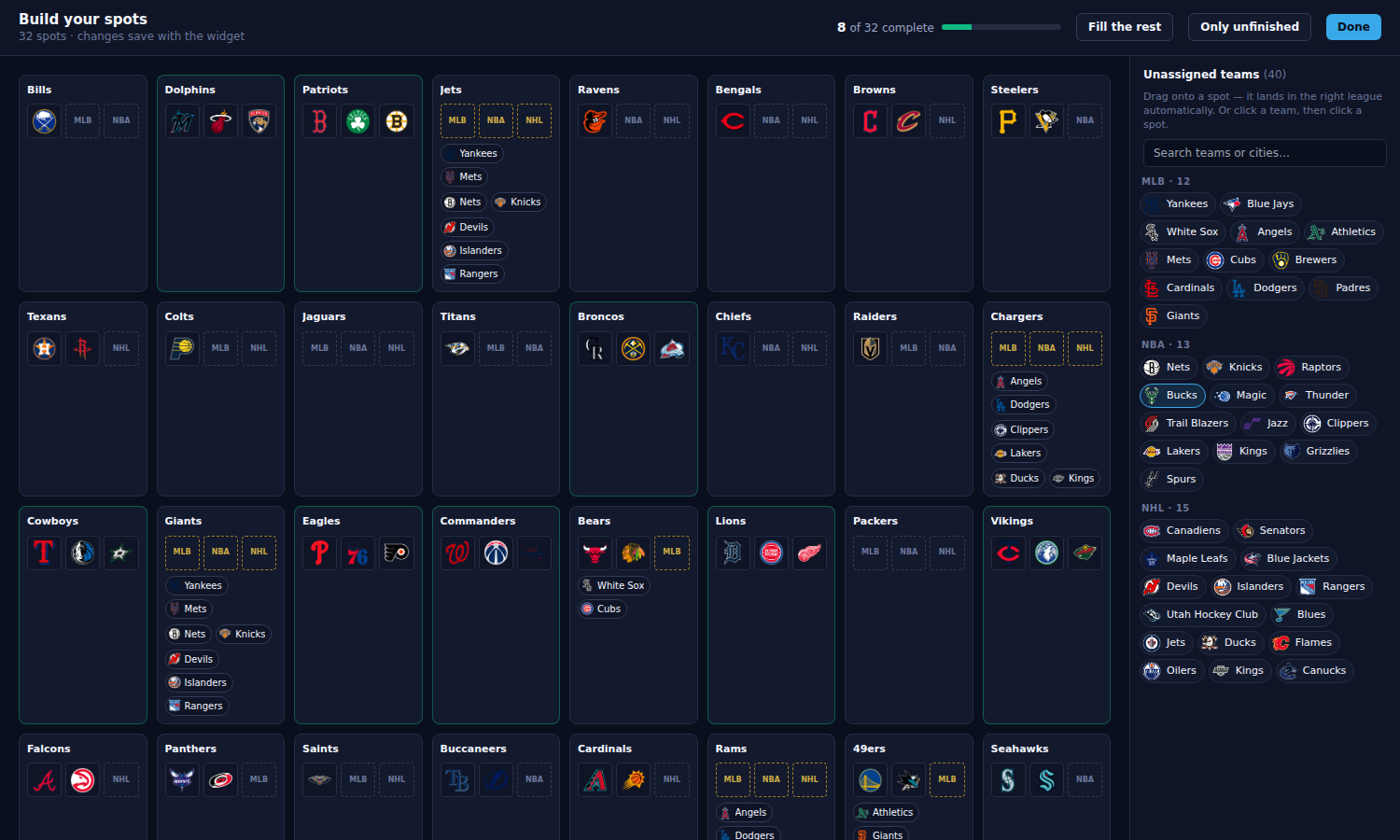
Fill the rest
Fill the rest finishes everything it can in one press: market answers first, leftovers second. The header then tells you what it did — how many came from other cities, and how many spots it couldn't finish.
Take that report seriously. The market fills are safe; the leftover fills are a plausible guess, not a right answer. Skim those spots and change any you disagree with — a click on a chip or a tray team replaces what's there.
Pressing Undo puts the board back exactly as it was. Once you edit a spot by hand the undo window closes, so hand edits are never swallowed by it.
Spots that stay short
On an NFL board about 7 spots will end up short no matter what, because there aren't enough teams to go around: 30 slots with no local answer, 23 unassigned teams. That's arithmetic, not a bug.
A short spot still sells perfectly well — it just carries three teams instead of four. Price it accordingly, or fill it from a league you left out.
Leftover teams on a 30-spot board
Anchor MLB or NBA and you get the opposite problem. Those leagues have 30 teams, so the board has 30 spots — but the NFL and NHL have 32 each. Two football teams and two hockey teams have no spot of their own, and no amount of shuffling changes that.
They're not stuck, though. Put them on any spot you like: that spot simply carries two teams from that league, and the buyer gets both.
Most breakers double up on the biggest market, or on whichever spot they think needs sweetening to sell. The builder tells you when you're in this situation rather than leaving four teams sitting in the tray unexplained.
An NFL or NHL anchor never hits this — 32 spots is enough room for every league.
Step 4 — Style the board
Hit Done and you land in the normal editor with your board built. Colours, fonts, takeover, border effects all work as they always have.
Two things behave differently on a Multi-Sport board:
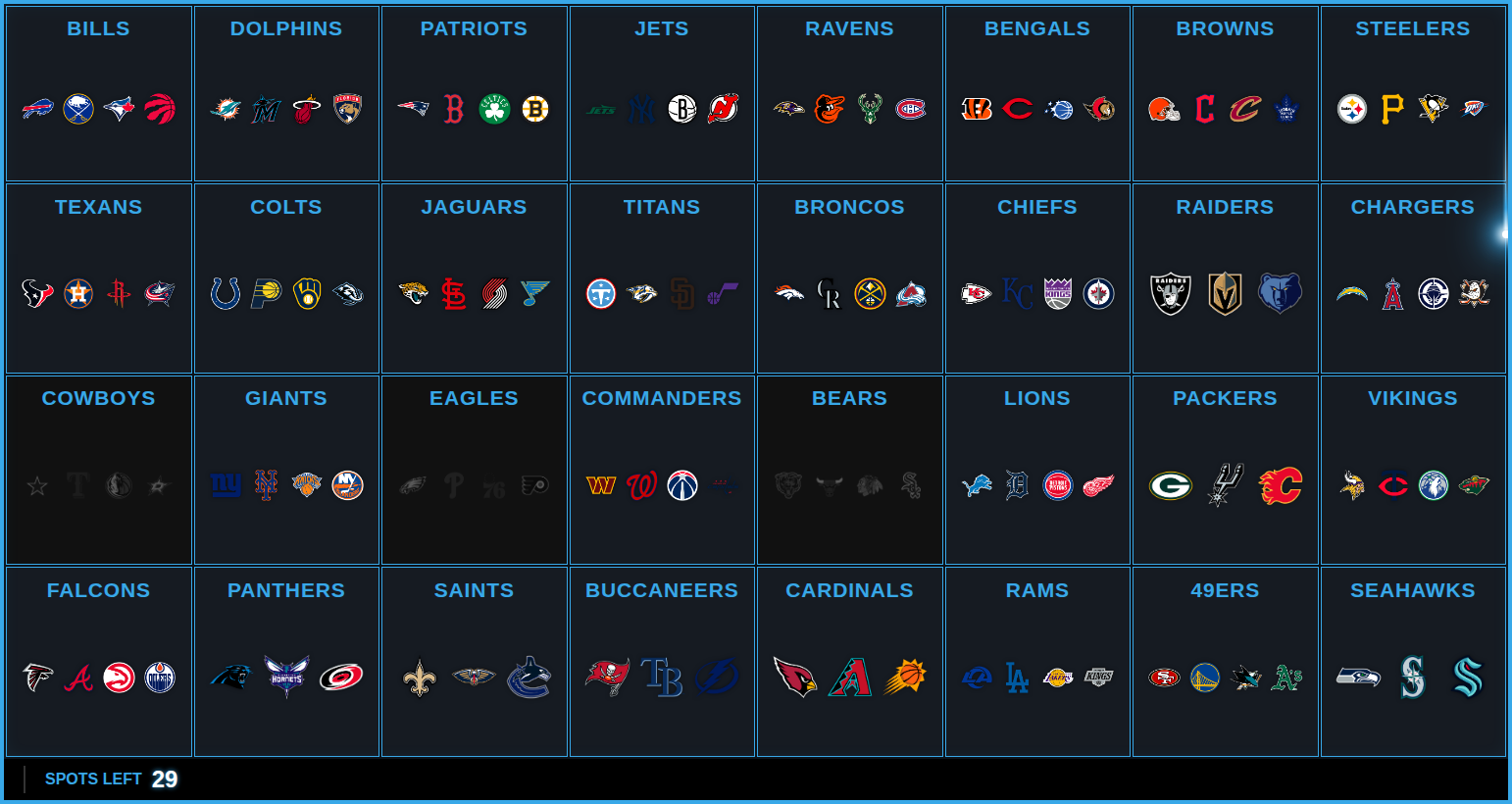
- The counter reads SPOTS LEFT, not TEAMS LEFT.
- The takeover shows every mark on the spot, so viewers see all four teams the buyer just won. There's no banner over the top — the marks say it better than a name would.
Top Teams, Last Team and holds are hidden on this board. They're keyed to individual teams and your tiles are spots, so they'd have nothing to attach to. Per-spot versions are coming.
Save when you're happy. You can reopen the builder any time from Edit spots in the editor toolbar — the board is yours to re-cut between breaks.
Step 5 — Run it live
Add the board to OBS the usual way (Add to OBS in the Stream Command Center, or copy the browser source URL) and run the break from the Command Center as normal.
Click a spot and the whole thing sells: every mark greys out together, the takeover fires with all four logos, and the counter ticks down by one. Your buyer sees exactly what they got.
Building on a phone
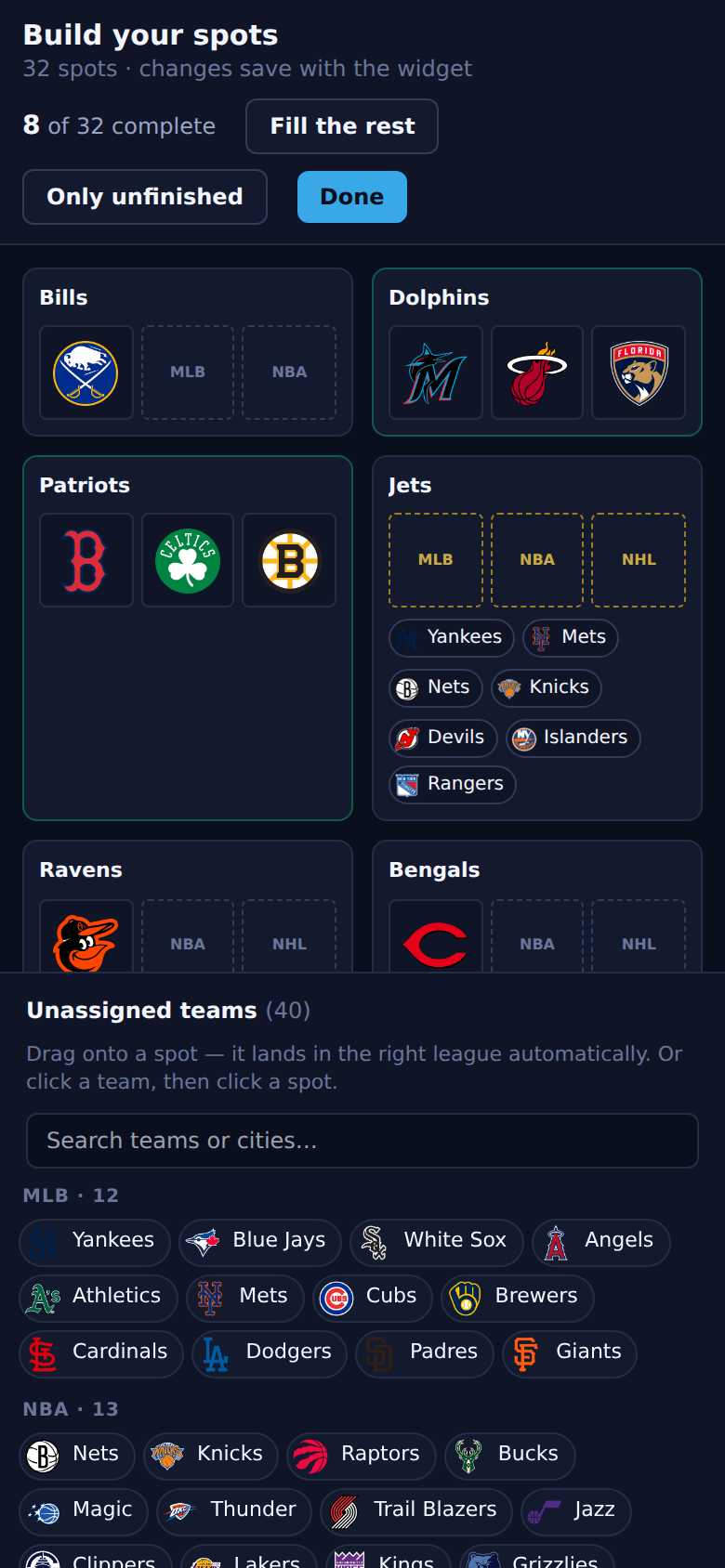
The spots builder works on a phone. The tray docks to the bottom of the screen and the spots stack two across, so the tap-a-team-then-tap-a-spot flow stays within reach.
Quick answers
Can I change the spots after I've sold some? Yes — assigning, swapping and freeing marks all leave your sold spots alone. Adding or removing a whole spot resets the board, because that changes what's being sold.
Can two spots share a team? No. Putting the Yankees on the Giants takes them off the Jets, because one team on two spots is one card sold twice. The builder does the move for you.
Can one spot hold two teams from the same league? Yes, and on a 30-spot board you'll need to — see the leftovers section above. There's no limit, but past four or five marks a spot gets hard to read on stream.
What if I want an anchor with no local partners at all? That's the Green Bay case, and it's normal. Fill it from the tray with whatever your audience would accept — a nearby city, or a team you know sells.
Can I run this with two leagues instead of four? Yes. Untick the leagues you don't want at creation. Two-league boards usually fill with no leftovers at all.