Your News Ticker, At The Size Your Board Deserves
— Breaker Labs
The news ticker has been a fixed 32-pixel strip since the day it shipped. On a compact board that's about right. On a 1920-wide board on a stream someone's watching on their phone, it's a thin line of text nobody can read — the one strip of pixels carrying your price and your shipping terms, and it's the hardest thing on the board to see.
It's a slider now. Extras → News Ticker → Bar height, anywhere from 20px to 120px.
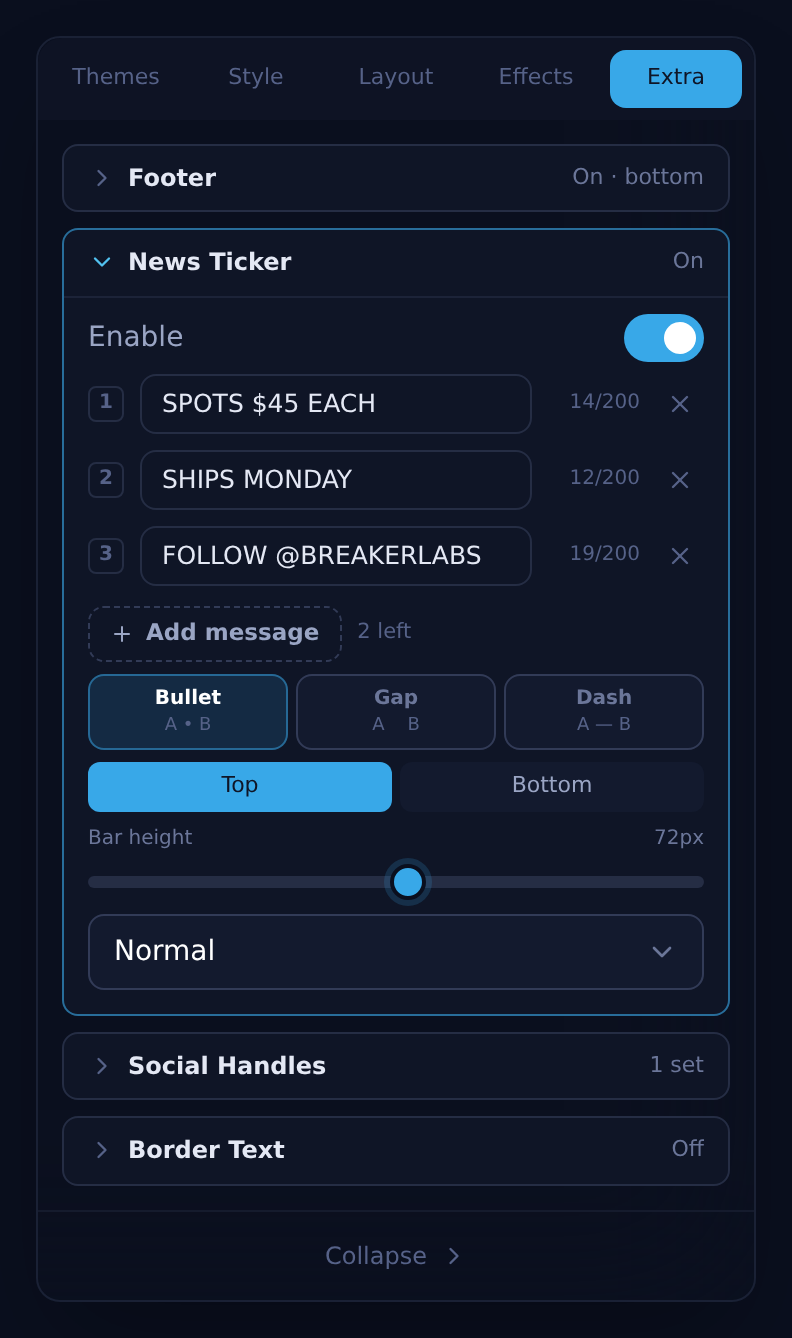
Drag it and the board updates in the preview as you go. Here's the same board at three settings:
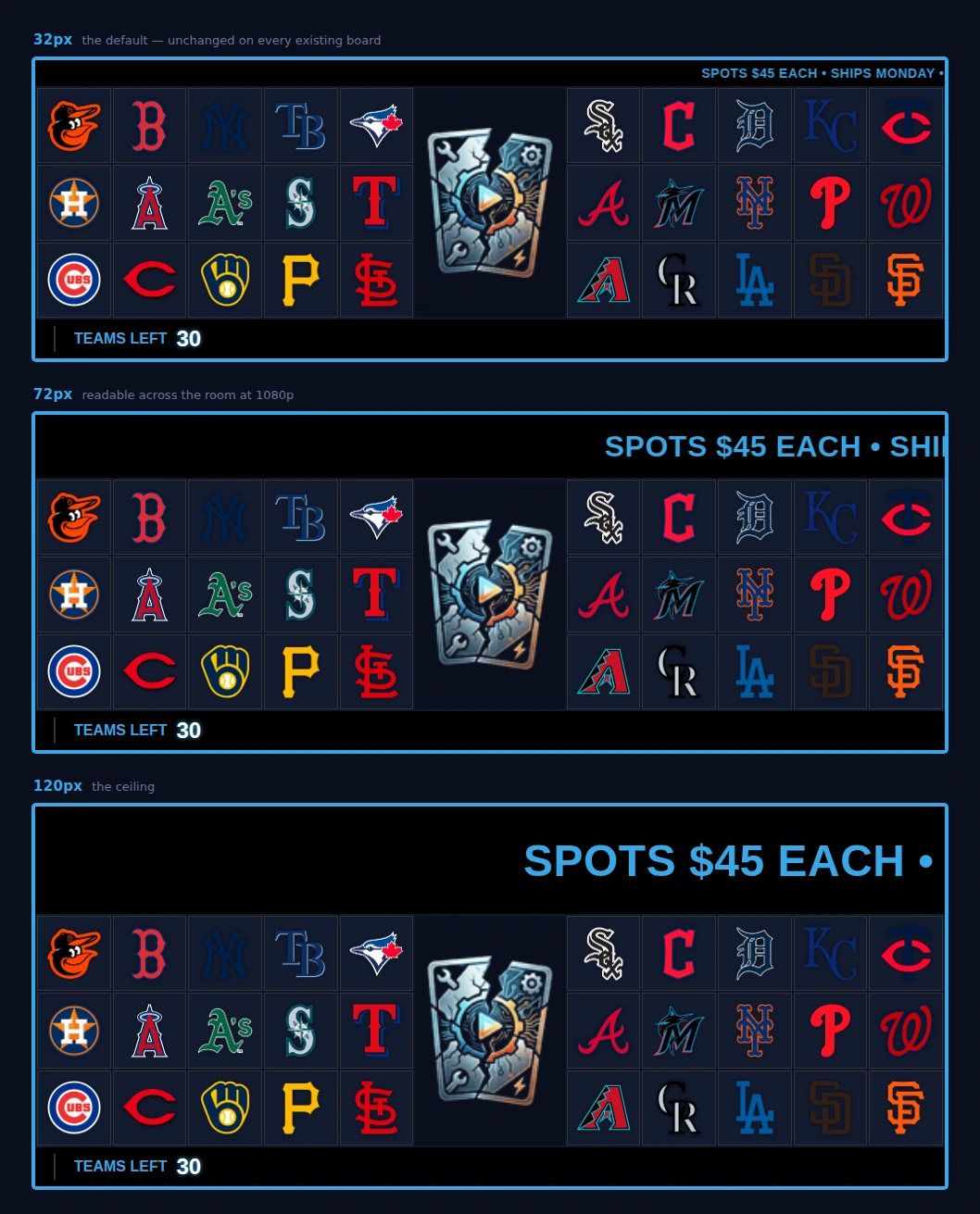
The copy grows with the bar
You don't set a font size. A taller bar with the same small text is just a band of empty black, so the type tracks the height on its own — that's one control to think about instead of two you have to keep in sync.
At the default 32px the text is exactly the 14px it has always been, so nothing about your existing boards changes. They render pixel-for-pixel as they did yesterday.
Your board gets taller — your OBS source doesn't
This is the one thing worth knowing before you drag the slider.
A taller bar takes real space, and rather than squeeze it out of your team grid we grow the board to fit — same as the footer and the chase rail already do. Every card stays exactly the size it was. Look at the three boards above: the bar triples, and all thirty teams are still there at the same size, centre island and all.
But OBS won't resize a browser source you've already placed. So if you make a big change to the bar height on a board that's already in your scene, re-run Add to OBS from the Command Center to pick up the new dimensions. Small nudges you probably won't notice; going from 32 to 120 you will.
Turning it on actually shows you something
Switching the ticker on used to do nothing visible, because the bar only draws when there's something to scroll. You'd flip the toggle, see no change, and reasonably conclude it was broken.
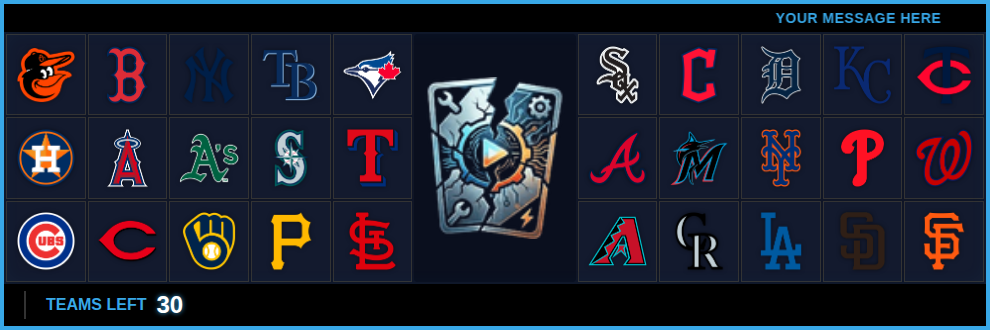
Enabling it now drops a starter message in for you, so the bar appears the moment the switch moves and you have something to type over.
The small stuff
- An empty ticker no longer reserves space. If it's switched on with every message row blank, the board no longer holds a gap open for a bar that never draws. If you've been staring at an unexplained strip of background at the top of your board, that was this. And you can't save a board into that state any more: with the ticker switched on, the editor and the Command Center both ask for a message before they'll save.
- Position and speed are unchanged. Top or bottom, slow/normal/fast — same as before, and changing them won't touch a height you've set.
- The board remembers. Height is saved per widget, so your MLB board and your NFL board can run different bars.
Getting started
The ticker is a Pro feature. Open any Team Tracker, go to Extras → News Ticker, and the height slider sits under the position and speed controls. Your messages still live in the Command Center, so you can keep changing what it says mid-break — it'll just be legible from the back of the room now.