Introducing the New Widget Editor
— Breaker Labs
We've completely redesigned how you create and customize widgets in Breaker Labs. The editor now feels like a creative tool — your widget preview takes center stage while controls float alongside it. Here's everything that's new.
Floating Panel Editor
The biggest change: controls now live in a floating glass panel on the right side of your screen. Your widget preview fills the entire workspace, and the panel overlays it without shrinking the preview.
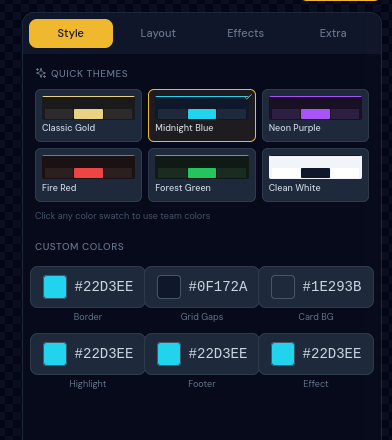
Pick a quick theme with one click, or fine-tune individual colors. The panel scrolls vertically so we can keep adding options without running out of space.
Four Organized Tabs
All customization options are organized into four clear tabs:
Style — Themes and Colors
Six pre-built color themes plus individual color pickers for border, grid gaps, card background, highlight, footer text, and effect colors. Click any team color swatch to pull colors from your sport's teams.
Layout — Screen Size and Grid
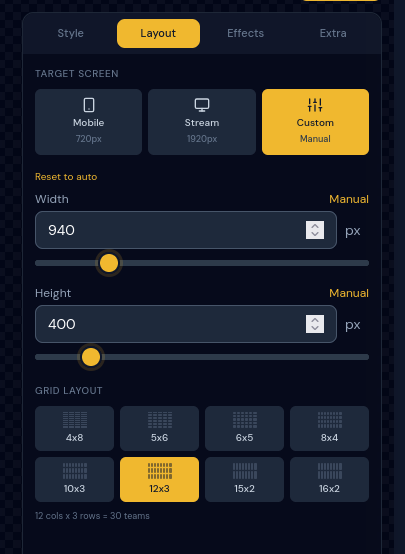
Choose from Mobile, Stream, or Custom screen presets. Pick your grid layout — from compact 4x8 to wide 16x2. The dimension sliders update the preview in real-time.
Effects — Animations
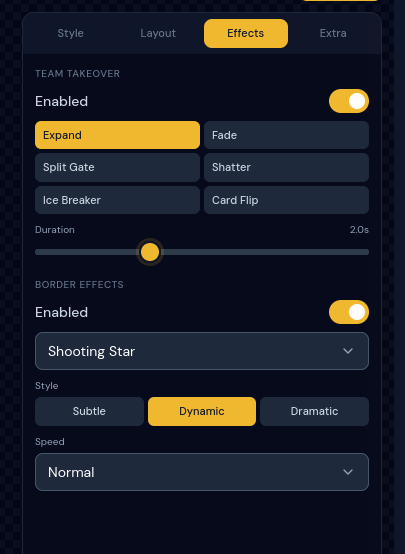
Six takeover animation styles (Expand, Fade, Split Gate, Shatter, Ice Breaker, Card Flip) plus three border effects (Shooting Star, Gradient Flow, Pulse). Dial in the animation style from Subtle to Dramatic and adjust the speed.
Extra — Footer, Ticker, Logo, Social
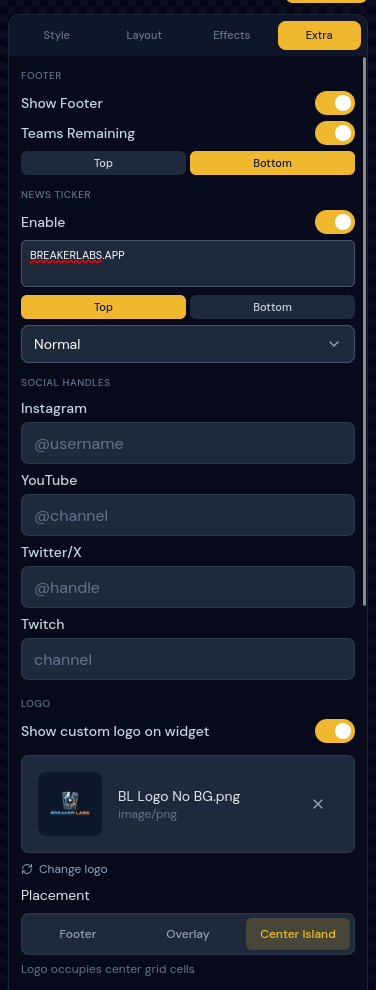
Configure your footer, scrolling news ticker, custom logo with placement options (Footer, Overlay, or Center Island), and social media handles — all in one place.
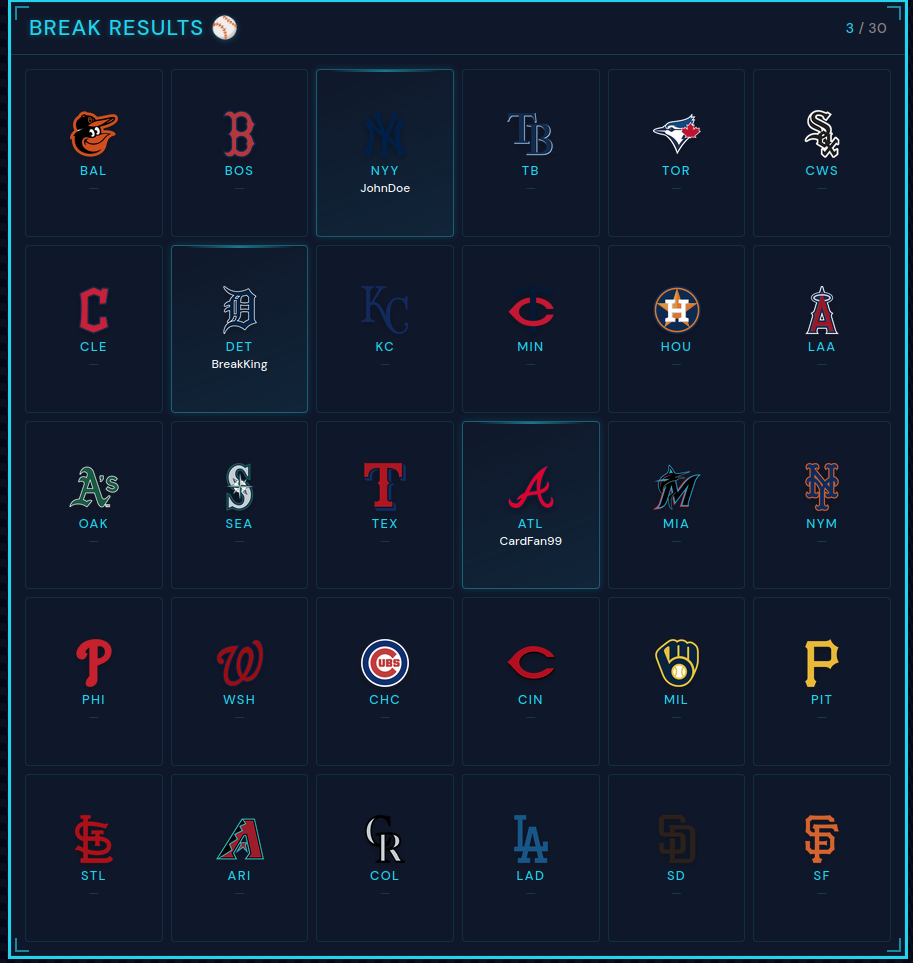
Break Results Widget
Not just team trackers — Break Results gives you a clean grid showing which teams hit during a break.
Dedicated Creation Flow
Instead of dropping you straight into the editor, there's now a two-step creation experience. Pick your widget type (Team Tracker or Break Results), choose your sport, and you're in the editor with everything pre-configured.
Mobile Editor
The mobile experience uses a bottom sheet that slides up from the bottom of your screen — the same four tabs, optimized for touch. Edit footer settings, social handles, and logos from your phone between breaks.
What's Next
We're working on more animation options, additional widget types, and a single-URL overlay system that lets you run your entire stream with one OBS browser source. Stay tuned.
All of these improvements are available now. Create your first widget or log in to try the new editor.