Halloween Is On the Board: A Haunted Theme, Plus Five New Looks
· Breaker Labs
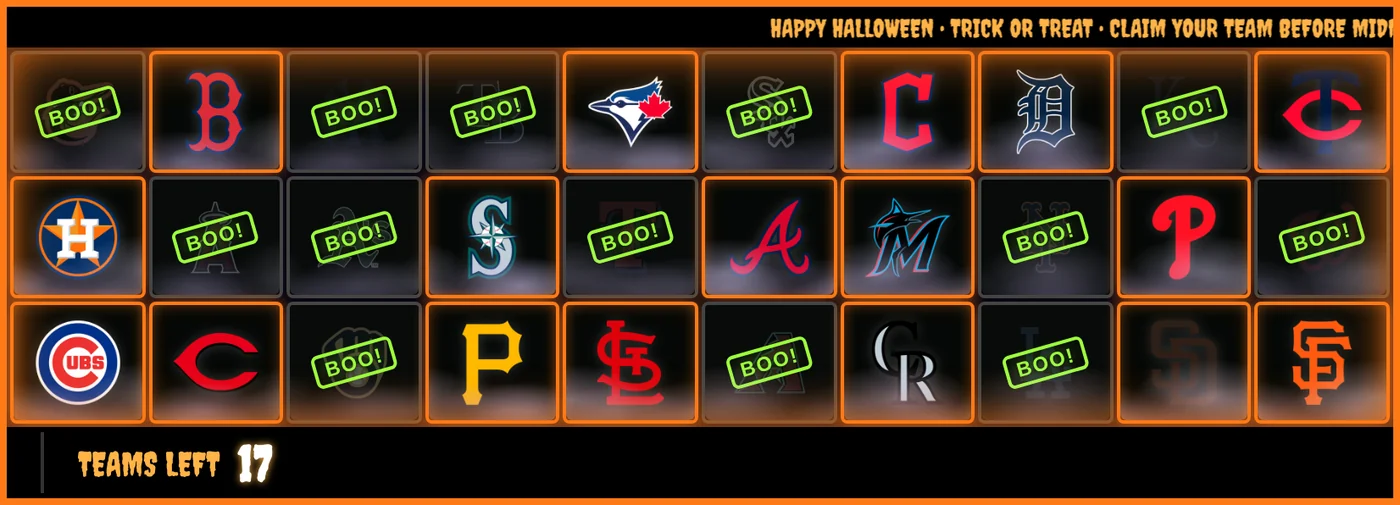
Halloween breaks deserve a board that looks the part. The new Halloween theme turns any Team Tracker into a haunted one in a single tap: orange neon cards on a purple-black night, a slime-green BOO! on every team that sells, and fog drifting across the whole board.
What's in the Halloween theme
- Orange neon cards on a dark purple board, with the frame pulsing orange.
- BOO! in slime green on every sold team, slammed onto the card the moment it sells.
- Haunted Fog: mist drifts across every card, and it moves as one fog crossing the board rather than card by card.
- A dripping horror font on the footer and the ticker. Team cards and stamps keep their normal type, so every name still fits.
- A Lightning takeover every time a team sells.
- A HAPPY HALLOWEEN • TRICK OR TREAT ticker if your ticker is empty. If you already have ticker messages, they stay.
Apply it in one tap
Open a Team Tracker in the editor and select Themes at the top of the Customize panel. Halloween is the first tile. Select it and your own board wears it in the preview, with your teams and your sales. Select Apply to keep it.
A theme changes the look, not the board. Your teams, layout, board size, logo and ticker messages stay as they are, so the board already in your OBS scene doesn't move.
Halloween is in the gallery for the season. Apply it and your board keeps the look until you choose another theme.
Make the sell-out spooky too
The theme handles the look. For the big moment, open Takeovers & Effects, turn on Milestone Moments and pick the new Showtime style. When one team is left, the board dims around it and the last card gets a spotlight. When the break sells out, the board flashes white, shakes, fires confetti and slams your sell-out message across the cards. Set Banner Text to SPOOKED OUT! and it looks like this:
Five more new looks, all year round
Halloween is seasonal. These five are here to stay, and each one is a full look: card face, sold stamp, colors, border, claim animation and takeover, set together.
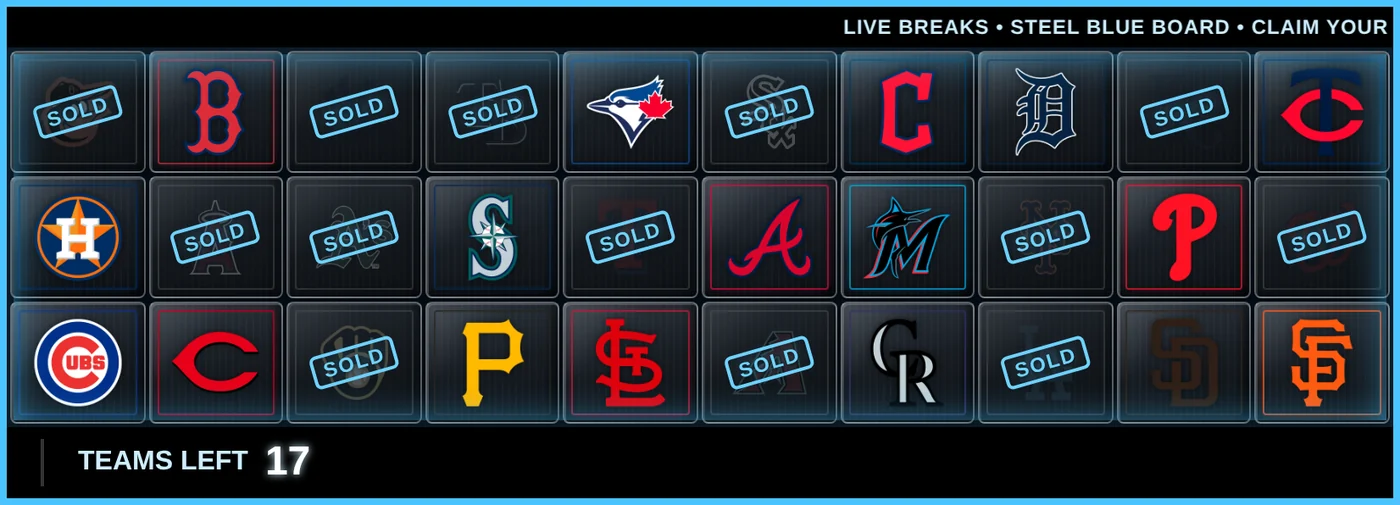
Steel Blue
Brushed steel cards with a cyan SOLD stamp and a pulsing cyan frame. Clean, broadcast-style and good for any sport.
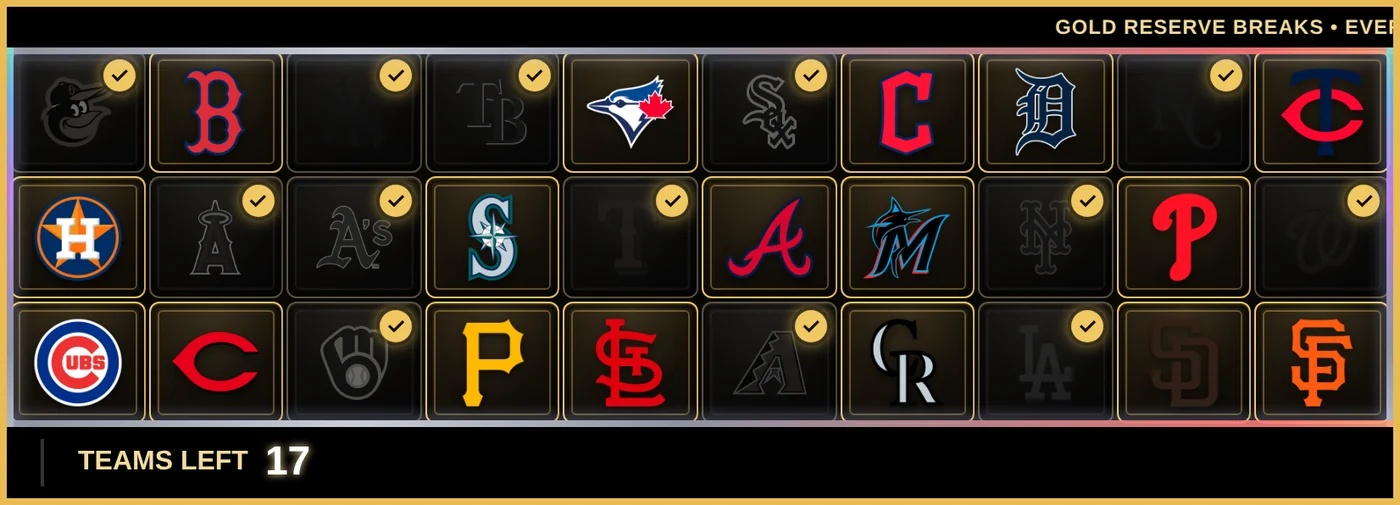
Gold Reserve
Dark cards edged with a thin gold line and a gold foil shimmer around the frame. Sold teams don't get a stamp: they fade to grey with a gold check in the corner.
Inferno
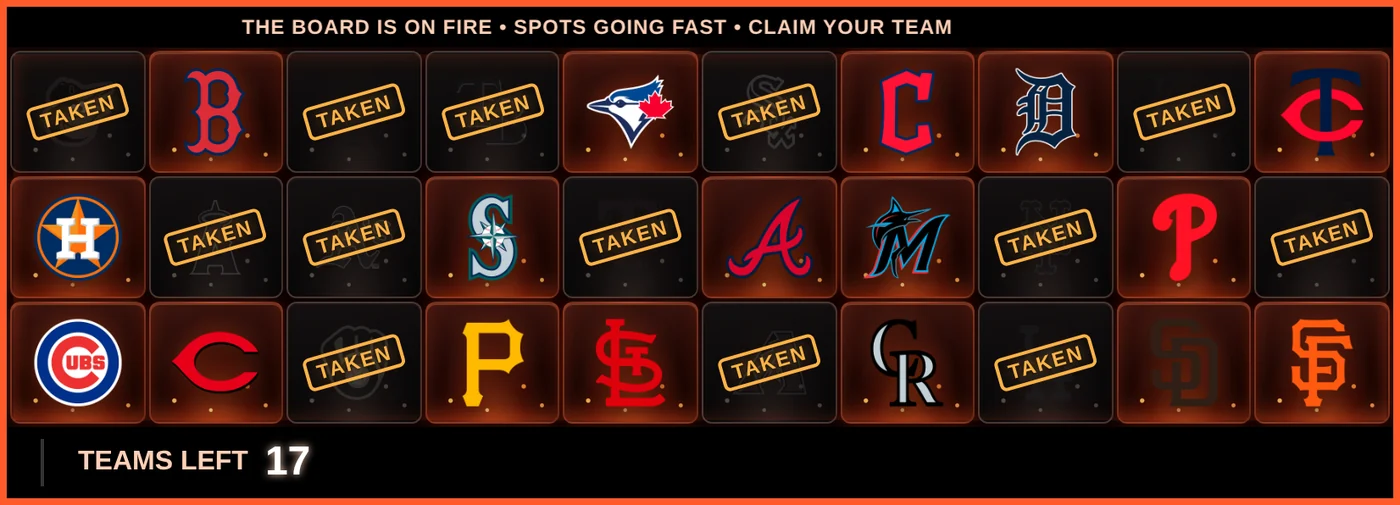
Red-to-black cards glowing like embers, an orange TAKEN stamp, and a frame that flashes in each team's color when it sells.
Holo Chrome
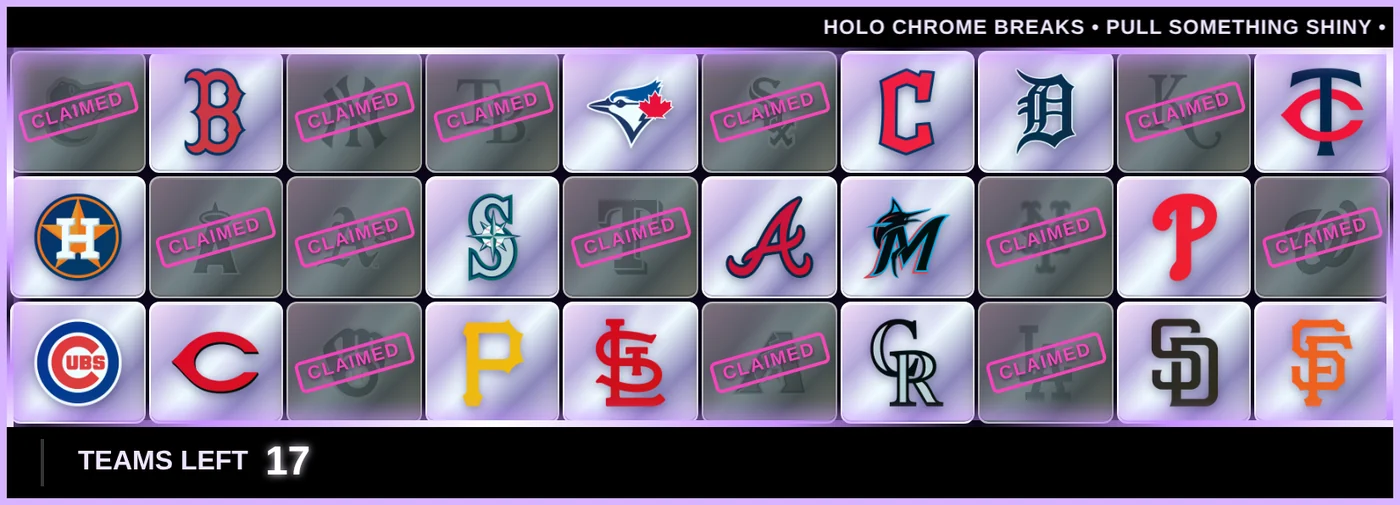
Bright silver and lilac chrome cards, a pink CLAIMED stamp, and a holographic shine that sweeps across the whole board.
Arcade
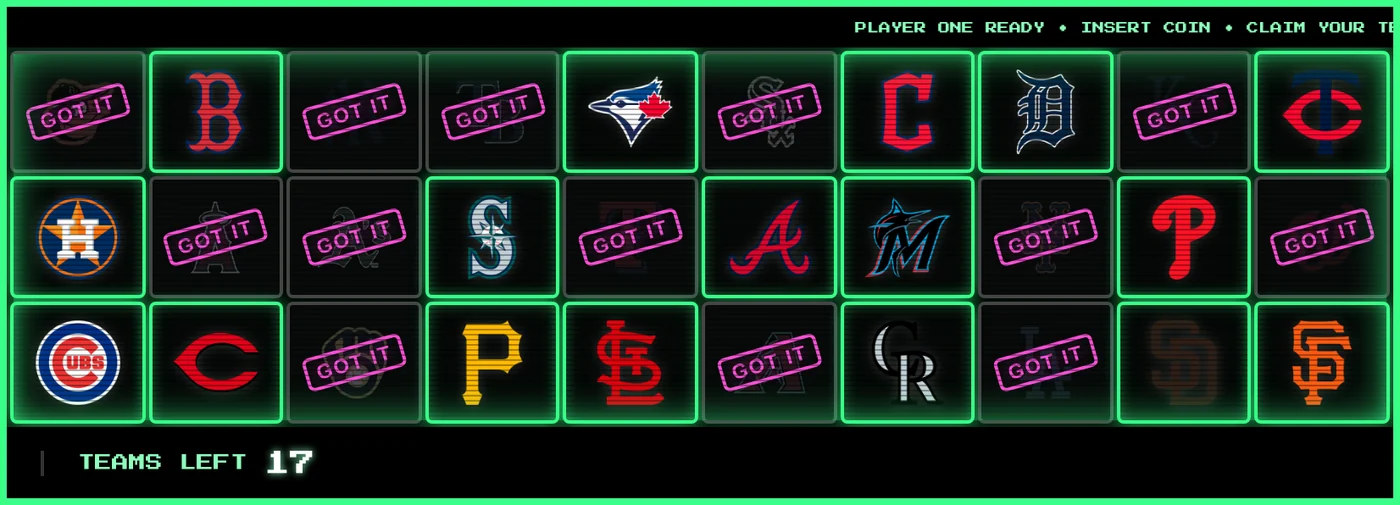
Black cards outlined in neon green, a magenta GOT IT stamp, CRT scanlines over every card and a pixel font on the footer and ticker.
Borrow one piece for your own board
Every piece of these themes is also its own setting, so you can keep your colors and add just the finish you like. They're all in Cards & Claims in the editor:
- Card Style has four new faces: Gold Line, Ember, Lilac Chrome and Neon Mono. Neon Mono glows in your board's effect color.
- Sold Appearance has Check Badge, which marks a sold team with a check in your effect color and fades its logo. It also has Stamp color: recolor the stamp, whatever it says. Reset to red puts it back.
- Board Finish adds a card overlay (Holo Sweep, Scanlines or Haunted Fog) and a footer and ticker font (Pixel or Spooky).
Getting started
The Halloween theme, the five new looks and every new finish are Pro features, included in the 7-day free trial. Open the editor, select Themes, and try them on your own board before you apply one.